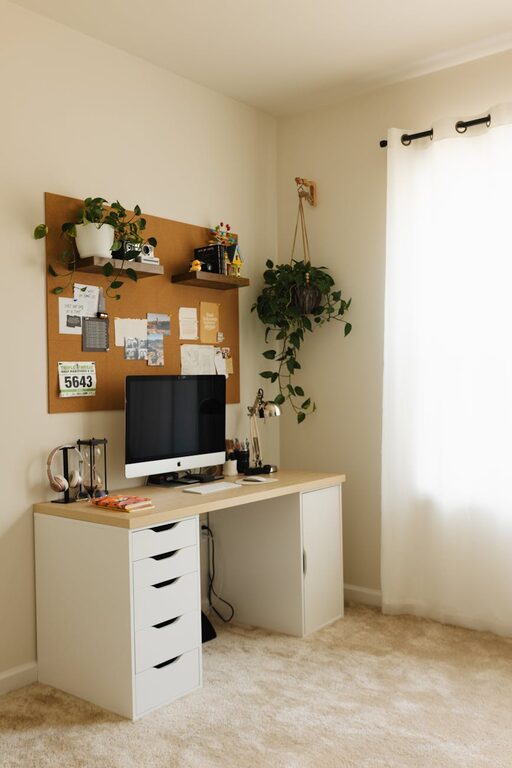
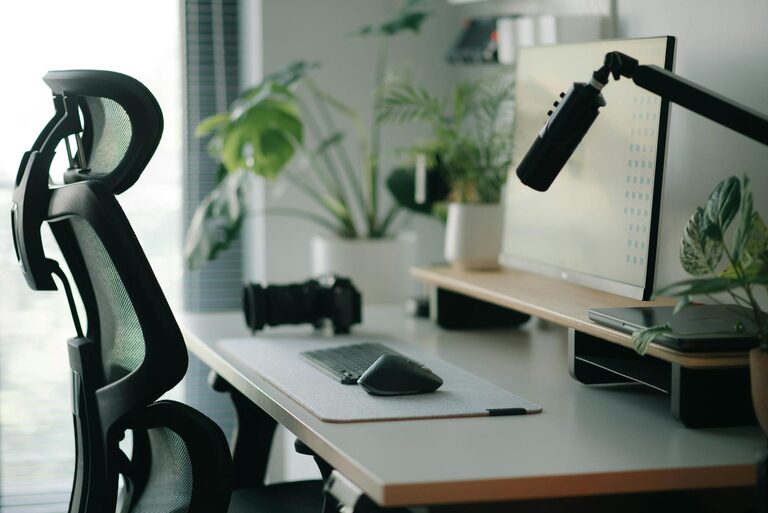
Working from home has become increasingly common, and having a dedicated home office space can make all the difference in your productivity and well-being. Whether you have a spare room or just a corner in your living area, creating a comfortable and efficient workspace is key. This guide offers practical tips to help you set up a home office that supports focus, organisation, and comfort.
Choose the Right Location
Find a Quiet Spot
Select a space in your home that is as quiet as possible. Avoid high-traffic areas where noise and distractions are common. If noise is unavoidable, consider soundproofing options or noise-cancelling headphones.
Prioritise Natural Light
Natural light can improve your mood and alertness. Choose a location near a window to take advantage of daylight. Position your desk perpendicular to the window to reduce glare on screens while still benefiting from natural light.
Invest in Ergonomic Furniture
Comfortable Chair
A supportive chair with adjustable height, lumbar support, and armrests helps reduce strain and discomfort during long working hours. Try out different chairs to find one that suits your posture and body type.
Practical Desk
Your desk should be large enough for your computer, documents, and any other essentials, but not so big that it becomes cluttered. An adjustable desk or sit-stand desk can offer flexibility and promote movement throughout the day.
Organise Your Workspace
Declutter Regularly
Keep only what you need on your desk. Use storage solutions such as shelves, drawers, or filing cabinets to keep supplies and documents organised and out of sight.
Use Cable Management
Messy cables can be distracting and reduce workspace efficiency. Use cable clips, sleeves, or trays to keep cords tidy and prevent tangling.
Optimise Lighting
Combine Natural and Artificial Lighting
While natural light is ideal, supplement it with adjustable desk lamps or overhead lighting to ensure your workspace is well-lit at all times. Choose bulbs with a colour temperature between 4000K and 5000K for neutral, bright light that reduces eye strain.
Avoid Screen Glare
Position lights to avoid reflections on your computer screen. Anti-glare screen protectors can also help reduce eye fatigue.
Personalise Your Space
Add Greenery
Houseplants not only improve air quality but also add a calming touch to your workspace. Choose low-maintenance plants like succulents or spider plants if you’re new to plant care.
Incorporate Inspiring Elements
Display items that motivate you, such as photos, artwork, or quotes. Be careful not to overdo it, as too much decoration can become distracting.
Create a Routine
Dedicated Work Hours
Set clear working hours to maintain a healthy work-life balance. This helps create boundaries between your professional and personal life.
Take Regular Breaks
Short breaks every hour can improve concentration and reduce fatigue. Use breaks to stand, stretch, or take a short walk.
Utilise Technology Wisely
Reliable Internet Connection
A fast and stable internet connection is essential for video calls, research, and cloud-based work.
Useful Tools and Apps
Organise your tasks with productivity apps, use noise-reducing headphones, and invest in a quality webcam and microphone to enhance remote meetings.
Maintain Good Air Quality and Temperature
Ventilation
Ensure your workspace is well-ventilated. Fresh air circulation helps you stay alert and reduces the buildup of indoor air pollutants.
Temperature Control
Keep the room at a comfortable temperature, ideally between 20°C and 22°C. Use fans or heaters as needed to maintain consistent comfort.
Keep Healthy Habits in Mind
Posture Awareness
Check your posture throughout the day. Take advantage of ergonomic furniture and setup to support your spine and reduce strain.
Stay Hydrated and Nourished
Keep a water bottle nearby and snack on healthy foods to maintain energy levels during work hours.
—
Creating a comfortable and productive home office doesn’t require a complete overhaul of your living space. By focusing on the right location, ergonomic furniture, good lighting, and organisation, you can build an effective workspace that supports your best work. Remember, the goal is to create an environment that feels inviting and helps you stay focused — a place where productivity and comfort go hand in hand.

Related Posts